32 Keyboard Shortcuts to Speed up Your Workflow in Any Browser

keyboard-shortcuts-browsers-644x373Browsing faster is not an elusive goal nor does it need drastic changes to your workflow. Adopting a few simple new habits should do the trick. Using keyboard shortcuts more often is one of them. Let’s introduce you to a few that will help you finish various browser related tasks — manage tabs, search text, open websites, delete history — faster. Check out these shortcuts on this article from MakeUseOf.com
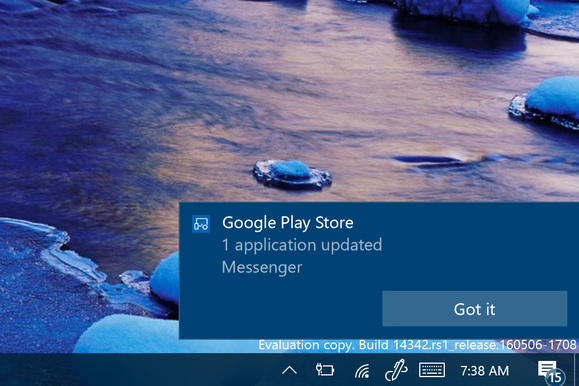

How to enable Android notifications on the Windows 10 preview

android-notifications-windows-100662729-largeWhen you’re tapping away at the computer it’s quite a nuisance to stop what you’re doing for the buzzing, ringing nag of a smartphone that’s on your desk. Each vibration or bing usually means another text message, email, sports score, or gaming update that distracts from what’re doing. More information on this article from MakeUseOf.com
How to Make Google Photos Work for You with These Tips

google-photos-tips-644x373Just over a year ago, Google launched Google Photos as an online photo sharing and storage platform. Check out this article from MakeUseOf.com

How to Speed Up Windows 10 From Boot to Shut Down

speed-up-windows-10-644x373A slow PC isn’t an annoyance, it’s an affliction. The upgrade to Windows 10 has been simple for some, but for others, the upgrade has led to serious problems. Some even report the upgrade to Windows 10 has slowed down their computer. More of this article from MakeUseOf.com

Turn Gmail Into a Powerful Collaboration Tool with These Apps

gmail-collaboration-tools-644x373When it is time to collaborate with your team, there are plenty of extensive applications that can assist you. However, these days many of us still live in our inboxes. So, when you want to collaborate on emails received, those you are composing, or even hold a quick conversation, this can all be done right from your Gmail account. More from this article in MakeUseOf.com

The Best Data Recovery Software for Mac to Find Lost Data & Files

recover-mac-files-644x373Data recovery can be useful in all kinds of situations, whether your SSD just happened to die or you went on vacation and came back with a corrupted SD card. Instead of giving up and tossing out the device, you can try recovering your files on your own using an app. More of this article from MakeUseOf.com

Google, Microsoft and Opera keep bickering over whose browser eats more battery

opera_browser_primary-100649478-largeOpera Software today disputed Microsoft’s claim that Edge, the default browser bundled with Windows 10, consumes less power on a laptop than Opera’s flagship. More of this article from PCWorld.com