Fingerprint scanning is coming to Chromebooks
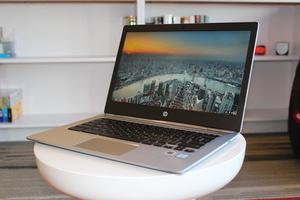
hp_chromebook_13_front_3qtr-100674122-mediumLater this year, Chromebook owners with the appropriate hardware may be able to unlock their laptops with their fingerprint. Chrome Story recently spotted a new flag in Chrome OS Canary that discusses “Quick Unlock (Fingerprint).” Check out this article from PCWorld.com


How to Automatically Lock Windows 10 Whenever You Leave Your Desk

Automatically-Lock-PC-When-Stepping-Away-Featured-670x335For security, Windows automatically locks your computer after a set time of inactivity. How long this takes is up to you, but even with a short amount of time, there’s a fatal flaw. Someone could easily use your PC after you’ve walked away without you even knowing. Get to know more of this article from MakeUseOf.com

5 Brilliant Dropbox Apps You Didn’t Know You Needed

brilliant-dropbox-apps--670x335Dropbox is among the oldest cloud storage services still active today, and it has its fair share of loyal users. But so many of them only use the default Dropbox app and nothing else. Third-party developers have made some fantastic Dropbox tools that every user should know of. Check out this article from MakeUseOf.com

How to Monitor Your Bank Balance From the Mac Menu Bar

mac-994x400The first step to financial responsibility is being willing to face your spending habits. This means tracking how much you spend every month, what you’re spending your money on, and looking for ways to reduce that spending. Not doing this is how most end up drowning in debt. Check out this article from MakeUseOf.com

How to Fix “Access Denied” Folder Errors on Windows 10

windows-10-homescreen-382x255It’s always interesting when Windows tells you don’t have permission to access something on your own computer. Sometimes, when you attempt to access a folder Windows will lock you out with an Access Denied error. More information on this article from MakeUseOf.com

Three ways to restrict OneDrive uploads in Windows 10

onedrivelogo-100709227-mediumSometimes you just don’t want OneDrive to do its job and start uploading and syncing files at will. This can be for any number of reasons, but the top two are usually because you’re doing a resource-intensive operation like gaming or your internet connection isn’t the fastest. Check out this article from PCWorld.com

Computer crashed? You could blame forces beyond our solar system

170217-chips-100709612-mediumWhen your computer crashes or phone freezes, don’t be so quick to blame the manufacturer. Cosmic rays may be your real foe, or rather the electrically charged particles they generate. Get to know more from this article in PCWorld.com