3 Ways to Make Money From an Old Domain Name

sell-domain-670x335You don’t need a website to make money online — just the URL, or domain name, will suffice. If your old domain name is useful, catchy, or in some other way meaningful, you could be sitting on a goldmine without even realizing it. Get to know more of this article in MakeUseOf.com
Compete to Be the Excel World Champion: Pass the Trials This Week

muo-master-microsoft-excel-2016-bundle-670x335Ladies and gentlemen: it’s time to start your spreadsheets, fine-tune those formulas, and ready yourself for the inaugural Excel World Championship! That’s right — the world’s favorite spreadsheet software now has a Microsoft-sponsored competition, complete with a grand prize for the overall winner. Check out this article in MakeUseOf.com

Affected by the Yahoo! Breach? Why Not Try ProtonMail?

yahoo-protonmail-670x335Yahoo! confirmed a massive security breach recently. Unless you have been living under a rock, you probably heard about it. Breaches such as this, like the Ashley Madison hack — where over 37 million accounts were compromised — are commonplace these days. Check this article in MakeUseOf.com

15 Excel Add-Ins to Save Time on Your Business Tasks

excel-addins-featuredDid you know Microsoft Office, including Excel and Word, supports add-ins? Excel add-ins can help you get through your tasks quicker because you never have to leave your Excel workbook. Check this article in MakeUseOf.com

Photo by: MakeTechEasier.com

5 Cool Microsoft Apps You Probably Didn’t Know About

a5997bef-d0dd-4b9c-875c-b70f2073af30Say what you will about the giant from Redmond, Microsoft can be pretty awesome. It’s a technology giant that employs thousands of the world’s smartest engineers, and ends up building some really cool things. Check out this article in MakeUseOf.com


Photo by: Microsoft.com

16 useful Windows 10 tools that help you get more done

windows-10-working-100685080-origNone of us like wasting time when we’re trying to get stuff done. Every second spent shuffling around open windows or navigating menus is precious time not spent achieving your goals. Fortunately, Microsoft stuffed Windows with all sorts of secretly powerful tools, as we’ve covered in-depth in both 17 obscure Windows tools and tricks too powerful to overlook and 15 simple, secret Windows tips and tricks designed to save you time. Check out this article in PCWorld.com

How to Replace Windows Essentials in Windows 10

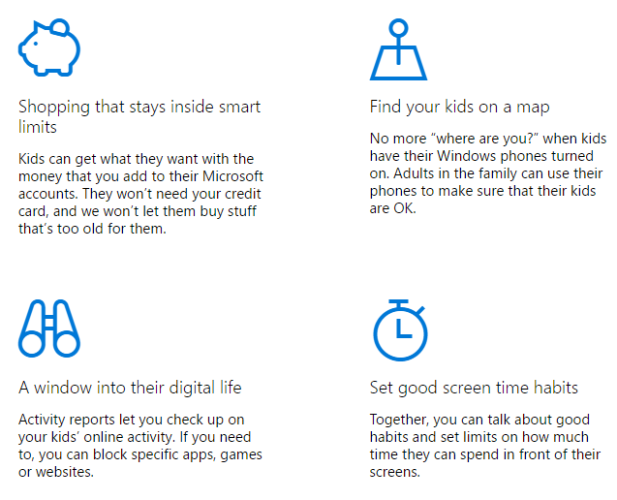
microsoft-family-features-617x500How do you view your photos on Windows? What app do you use if you want to make simple edits to a video? And which app are you relying on for your desktop email client? For lots of you, the answer will be one of the Windows Essentials programs. Check out this article in MakeUseOf.com