How to enable WhatsApp’s two-step verification

dsc05664-100706949-mediumWhatsApp is adding an extra security feature to help keep its more than a billion users safe from hacks. The company is rolling out two-step verification to its users worldwide. Check out this article from PCWorld.com

Outlook for iOS speeds up work with third-party add ins

outlook-ios-add-ins-100707004-mediumUsers of Microsoft’s Outlook app for iPhone and iPad can now get work done quicker using third-party integrations. Check out this article from PCWorld.com
How to set up your Android phone for ultimate privacy

android-privacy-100702687-largeIt’s not an exaggeration to say that your smartphone is the most personal device you have. The fact it’s always with you, however, sure does generate a lot of information about your habits. Check out this article from Greenbot.com

How to install the latest Android beta on your Nexus or Pixel phone

androud-nougat-7.0-on-nexus-6p-100676519-mediumGoogle is constantly at work perfecting the latest version of Android, but you might not know that you can help test it out. Before any new version of Android is released, whether it’s a full new major “sweet treat” version or a simple maintenance release (such as the new 7.1.2 update), you can sign up to test it weeks or months before it’s available for public download. All you need is a Google account and the right phone. Check out this article from PCWorld.com
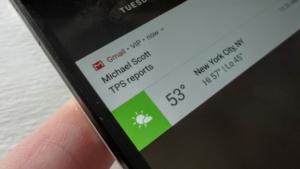
How to get iOS-style VIP alerts in Gmail for Android

how-to-bring-ioss-vip-alerts-to-android-vip-notification-on-android-lock-screen_main-100690719-mediumNot everyone wants their Android phone to ding every time an email arrives. Many of us don’t even need Android alerts for every message that Gmail thinks is important. Get to know more of this article from PCWorld.com

How to Simplify Your Phone and Get Back to the Basics

Flip-Phone-Simple-Featured-670x335For a few weeks toward the end of 2016, I bought a flip phone. I wanted to disconnect. I wanted the option to walk away from the internet without being inaccessible to family and friends. I wanted to recall what it was like to not know something. No Google. No Wikipedia. Check out more of this article from MakeUseOf.com

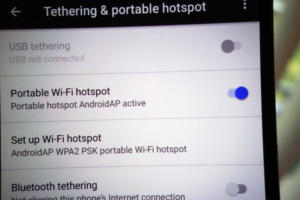
How to share your Android phone’s connection with Wi-Fi hotspot

hotspot-how-to-100705788-mediumYour Android phone is always connected to the Internet, but you might not know that your other devices can take advantage of it, too. If you’re traveling with a tablet or a laptop that only has a Wi-Fi chip, your Android phone can magically be transformed into a Wi-Fi hotspot that your cellular-challenged devices can use to get access to the Internet. More from this article in PCWorld.com