YouTube is bringing live broadcasting for all to its mobile apps

youtube-logo-100659603-largeYouTube will soon throw open the gates to live broadcasting inside its mobile apps. The mobile live streaming feature will be baked into the iPhone and Android apps, putting it in direct competition with Twitter-owned Periscope and Facebook Live. More of this latest news from PCWorld.com
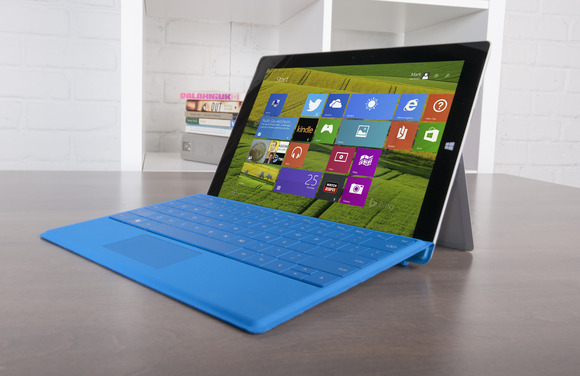
The Surface 3 is dead, as experts debate the future of low-end Windows tablets

surface3-main-2-100581437-largeMicrosoft will stop manufacturing Surface 3 by the end of the year, which raises a big question: Will there be a Surface 4? Check out this latest news from PCWorld.com

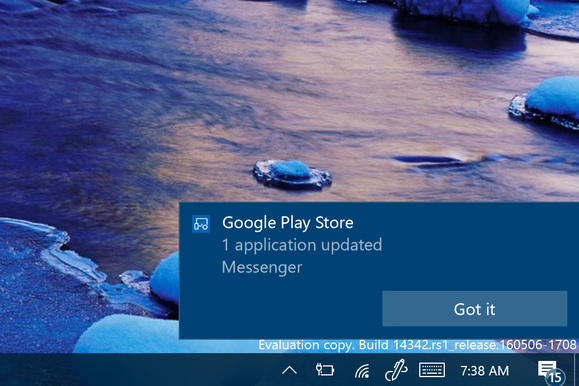
How to enable Android notifications on the Windows 10 preview

android-notifications-windows-100662729-largeWhen you’re tapping away at the computer it’s quite a nuisance to stop what you’re doing for the buzzing, ringing nag of a smartphone that’s on your desk. Each vibration or bing usually means another text message, email, sports score, or gaming update that distracts from what’re doing. More information on this article from MakeUseOf.com

Stop videos from autoplaying in your browser

computer_anger_frustration_schoolkid-100612810-largeFor obvious reasons, PCWorld readers in particular hate videos that start playing automatically when a webpage opens. I covered this topic at the beginning of last year, but things change, and it’s time for me to revisit it again. Check out how on this article in PCWorld.com

How to Make Google Photos Work for You with These Tips

google-photos-tips-644x373Just over a year ago, Google launched Google Photos as an online photo sharing and storage platform. Check out this article from MakeUseOf.com

How to Speed Up Windows 10 From Boot to Shut Down

speed-up-windows-10-644x373A slow PC isn’t an annoyance, it’s an affliction. The upgrade to Windows 10 has been simple for some, but for others, the upgrade has led to serious problems. Some even report the upgrade to Windows 10 has slowed down their computer. More of this article from MakeUseOf.com

Turn Gmail Into a Powerful Collaboration Tool with These Apps

gmail-collaboration-tools-644x373When it is time to collaborate with your team, there are plenty of extensive applications that can assist you. However, these days many of us still live in our inboxes. So, when you want to collaborate on emails received, those you are composing, or even hold a quick conversation, this can all be done right from your Gmail account. More from this article in MakeUseOf.com