Google Assistant gets a jolly upgrade for the holidays

holiday-assistant-100699900-mediumChristmas is coming, and Google Assistant is getting into the holiday spirit. Just in time for Santa’s arrival, the fun-loving virtual helper has been given an injection of good tidings in the form of a few seasonal responses. Get to know from this article in PCWorld.com

Facebook Messenger launches group video chat with Snapchat-style selfie filters

facebook-messenger-video-chat-100699941-mediumFacebook Messenger is bringing selfie filters to real-time video chat.

On Monday, Facebook announced that its Messenger app will let users conduct group video chats in real time. The splitscreen video will support six callers at any given time, but up to 50 users can join the conversation via text and voice, with the “dominant speaker” popping up on the video feed. Check out this latest from PCWorld.com

Text Better with These Alternative SMS Apps for Android

sms-apps-android-670x335If you don’t like the default text messaging app on your Android device, it’s super easy to change! There are lots of great alternatives out there, and thanks to the customizable nature of Android, it’s simple to switch over. More of this article from MakeUseOf.com

How to Edit and Clean Up Android’s Share Menu: No Root Required

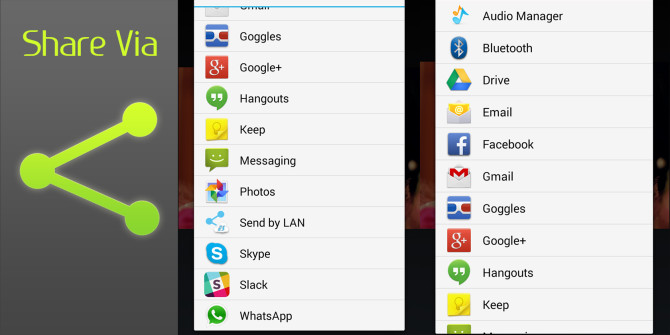
share-menu-670x335Android’s Share menu is a consistent control across most apps. Whether you’re viewing a webpage in Chrome, watching a video on YouTube, or browsing apps on the Play Store, you’ll see that familiar Share icon. Tapping it launches a menu that lets you choose which app you’d like to send out the link with. Check out this article from MakeUseOf.com

5 Best Free Messaging Apps for Android

android-messengers-670x335Nowadays, more people communicate through text messages than actual phone calls. I know I do. The “fire and forget” nature of it is more convenient and the message history doubles as a reference in case you need to revisit something someone said. Get to know more of this article from MakeUseOf.com

How to sideload extensions in Microsoft Edge

microsoft_edge_browser_primary-100617475-mediumWe’ve already seen how to install Edge extensions the official way, as well as an unofficial method using extensions that are normally hidden in the Windows Store. Now, let’s look at the third way: sideloading. More from this article in PCWorld.com

Three tips for dealing with an unruly desktop

windows10desktop-100697937-mediumWe’ve talked before about how to keep the desktop clean. But for desktop addicts it’s not so simple, is it? The desktop is a convenient place to quickly store files that you download or want to have readily available. At least at first. Over time, the files build up and before you know it the desktop is a mess again, the exact opposite of efficient. Check out this article from PCWorld.com