5 Reasons Why You Don’t Need a Desktop PC Anymore
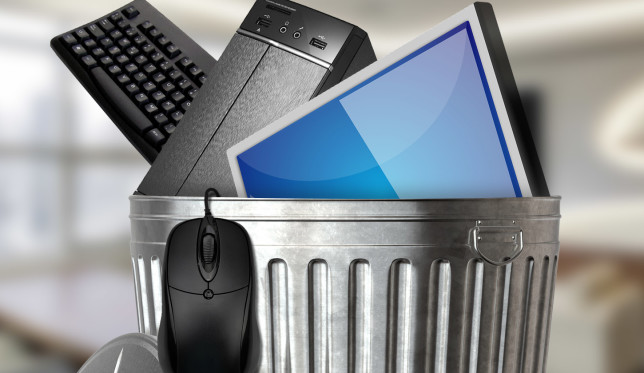
noneed-desktop-pc-644x373We might not have quite reached the post-PC era that Steve Jobs promised back in 2010, but we’re definitely in the post-desktop era. The idea that a single box sitting on your desk is the best way to handle all your digital activities could not be more outdated. More of this article from MakeUseOf.com
6 Universal Browser Tips That You Probably Aren’t Using

universal-browser-tips-644x373The humble browser is your window into the world wide web. Choosing between Chrome, Firefox, Edge, or anything else is about your requirements. But no matter what you install, there are some universal tips and tricks that you should use. Check out this article from MakeUseOf.com

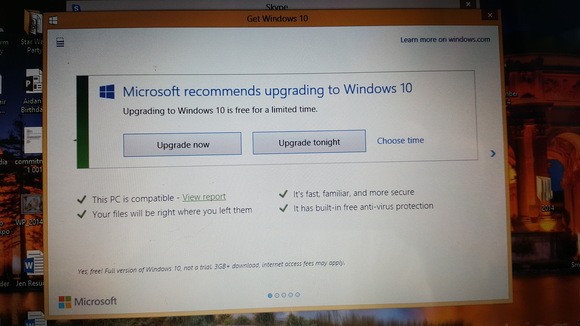
Microsoft denies forcing Windows 10 upgrades by killing the reschedule option

20160602_132409-100664467-largeHas Microsoft taken the final step in its Windows 10 upgrade strategy and removed all opt-out options from its Windows 10 upgrade? Apparently not. More of this article from PCWorld.com

Web developers, meet WebGazer: software that turns webcams into eye-trackers

brown-eye-tracker-100664436-largeEye-tracking technology has long been the domain of high-end research, but this week new software brings it within reach for anyone with a website. Check out this article from PCWorld.com

7 Linux Misconceptions Debunked

linux-misconceptions-644x373Not that many people use Linux. True or false?

False.

I’ll admit, it’s hard to gauge how many users exist. Linux is free to download, and no single company has control. There are no sales figures to go by. TV and print ads aren’t shaping your perception. Check out this article from MakeUseOf.com

5 Free Tools to Master Your PDF Files

master-pdf-644x373The PDF has been around over two decades and you probably encounter them everywhere. There’s loads of tools available to help you get the most from your PDFs, so we’ve rounded up some of the best that offer the features you’ll want to use all the time. More of this article from MakeUseOf.com

Report: Google Now on Tap is adding a ‘select word’ option for instant searches

Google Now on Tap is pretty cool, but it’s not quite the life-altering technology that was promised.

However, a new feature that’s popped up for some could change your opinion. According to a Reddit post some Android users have started to see an icon to select a specific word when holding down the home button. You can then pick out some text and get an instant Google Now on Tap search, which seeks out relevant content from the web and other Google apps. More of this article from PCWorld.com